
Staring at a screen for hours can leave your eyes feeling dry, heavy, or blurred before the workday is even done. While it's easy to accept this as just part of the job, persistent eye strain often has more to do with how you're positioned and what you're looking at than how many hours you log. A few targeted adjustments can make a real difference—and you don't need a full ergonomic overhaul to start.
Here is a straightforward, three-step plan to reduce eye strain right at your desk. Each step is designed to be done with your current setup, no special equipment required—though a few simple tools can help.
Step 1: Adjust your screen setup
Most eye strain begins with where your monitor sits. If the screen is too close, too far, or too high, your eyes have to work harder to focus. The ideal position is arm's length away, with the top of the monitor at or just below eye level. This allows you to look slightly downward at the center of the screen—a more natural angle for your eyes and neck.
Brightness and contrast also matter. A screen that is much brighter than the room around it forces your pupils to constantly adjust. Match your monitor brightness to the ambient light in the room. If you work near a window, consider tilting the screen or using blinds to reduce glare. A matte screen filter can help if reflections are an ongoing issue.
Text size is another factor often overlooked. If you find yourself squinting or leaning forward to read, increase the zoom or font size in your operating system. A comfortable reading distance should feel effortless.
Step 2: Use the 20-20-20 rule (and a timer if needed)
The 20-20-20 rule is one of the most recommended strategies for a reason: it works. Every 20 minutes, look at something about 20 feet away for at least 20 seconds. This gives your ciliary muscles—the ones responsible for focusing up close—a brief, essential break.
The hard part is remembering to do it. Set a gentle timer on your phone or use a browser extension that prompts you to look away. During those 20 seconds, blink fully and slowly. Blinking spreads moisture across the surface of the eye, and when we concentrate on screens, we blink far less often, leading to that dry, gritty feeling.
A quick tip: If your eyes still feel dry after practicing the 20-20-20 rule, preservative-free artificial tears can be used as needed during the day. Just keep a bottle at your desk and use them before your eyes start to feel uncomfortable.
Step 3: Optimize your lighting and posture
The light in your workspace can either help or hinder your eyes. Overhead fluorescent lights are often too harsh, while working in the dark creates too much contrast. The best setup is indirect, diffuse lighting. Position your desk so that windows are to the side of your screen rather than behind it or directly in front. If overhead light is too bright, consider using a desk lamp with a warm, adjustable brightness instead.
Posture ties directly into eye comfort. When you slouch, your head tends to move closer to the screen, forcing your eyes to work harder. Sit with your feet flat on the floor, hips at about a 90-degree angle, and shoulders relaxed. Your screen should be positioned so that you can maintain this alignment without leaning forward.
A chair with good lumbar support can help you maintain a neutral spine, but even a small cushion in the small of your back can make a difference. The key is to avoid forward head posture, which often leads to both neck pain and eye strain at the same time.
Simple add-ons to support your routine
While the three steps above cover the fundamentals, a few low-cost items can make the routine easier to stick with:
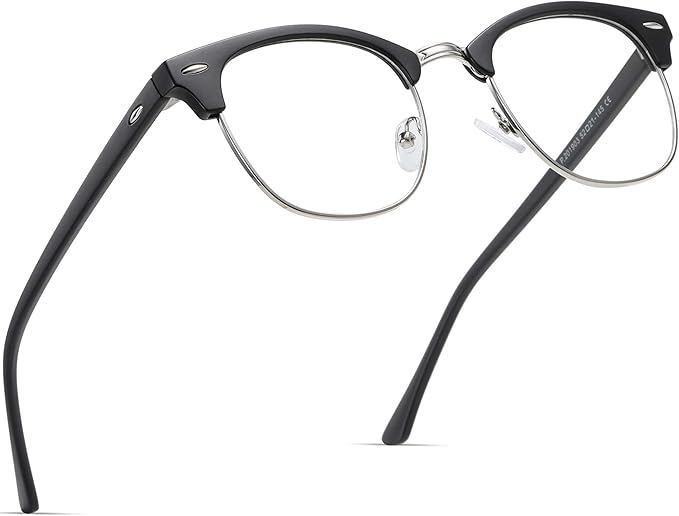
- A blue light filter for your monitor or a pair of blue light glasses can reduce visual stress if you work late into the evening.
- An adjustable monitor arm lets you fine-tune the height and distance of your screen without rearranging your whole desk.
- A small desk humidifier can help if you work in a very dry environment—this can reduce the evaporation of your natural tear film.
These are optional enhancements, not necessities. The most effective changes are often the simplest ones: adjusting your screen distance, taking regular breaks, and being mindful of your posture and lighting.
When to check in with an eye doctor
If you've made these adjustments and still experience persistent headaches, eye pain, or blurred vision, it may be time for an eye exam. Uncorrected vision problems, even minor ones, can worsen eye strain at a desk. An optometrist can also evaluate whether a pair of computer glasses would be helpful for your specific prescription and work habits.
Eye strain is common, but it is not something you should simply tolerate. With a few deliberate changes to your screen setup, your break habits, and your workspace lighting, you can protect your eyes and feel more comfortable throughout the workday.